ERP Selection to GoLive
The work done in a software selection is typically lost before the implementation starts.
ERP selection and implementation, connected from kickoff to GoLive
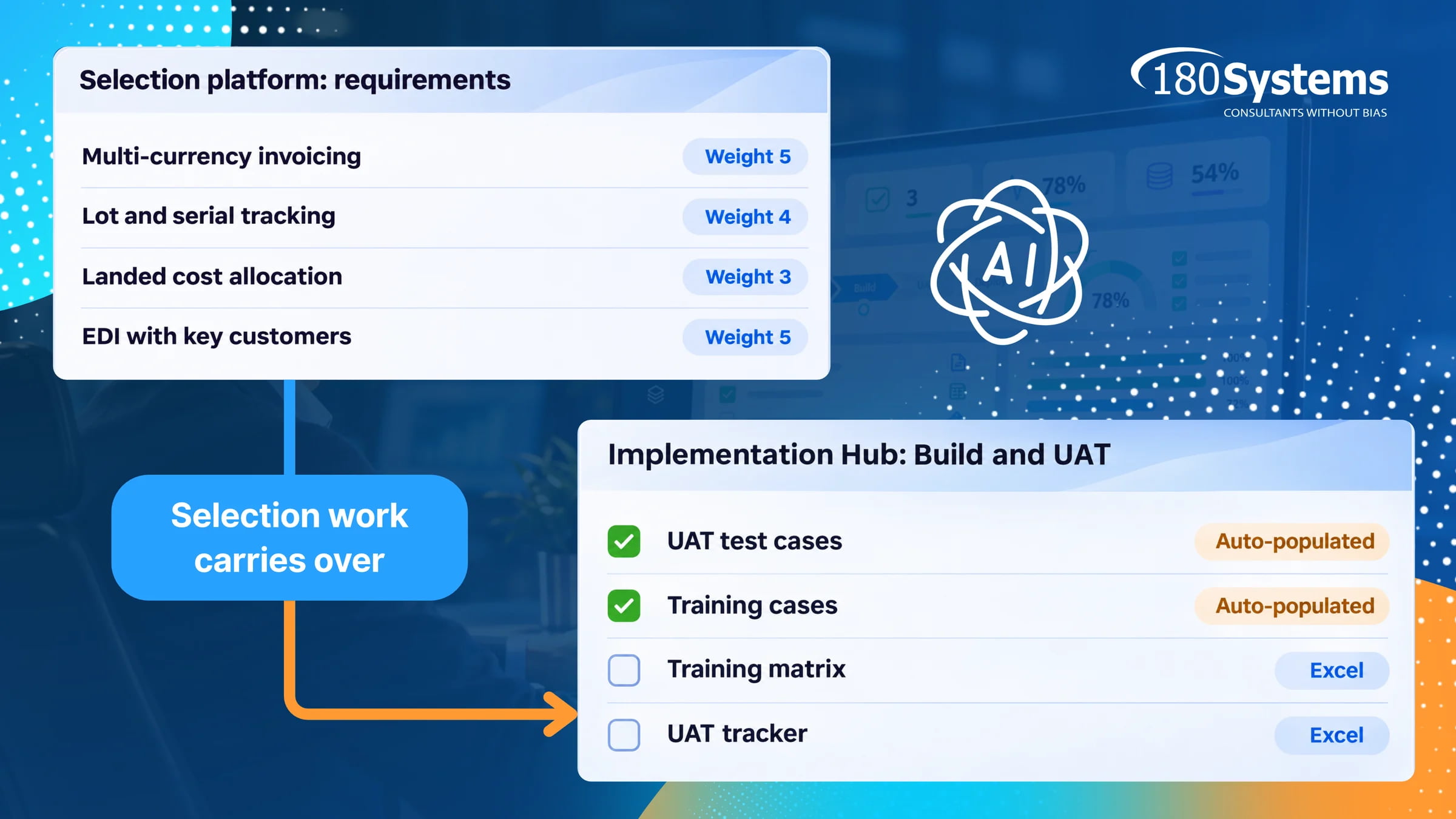
We help you choose your new ERP, then manage the implementation on your side. Because both run on our connected platforms, the work from your selection is used to auto-populate the test and training cases for the implementation.

6,000
Proven requirements your
selection starts from

25%
Estimated reduction in the time
to complete the selection work

Weekly
Health check on scope, timeline and
budget during the implementation
Phase 1: Software Selection
Choose the right system, from kickoff to contract
Our selection platform runs every stage on one requirements library. Each stage’s output feeds the next.
1. Business process reviews (BPRs)
Meeting transcripts are turned into draft business process reviews in our templates, ready for review.
2. Request for proposal (RFP)
A new RFP is generated from the kickoff notes and business process reviews, matched against about 6,000 proven requirements.
3. Vendor response analysis
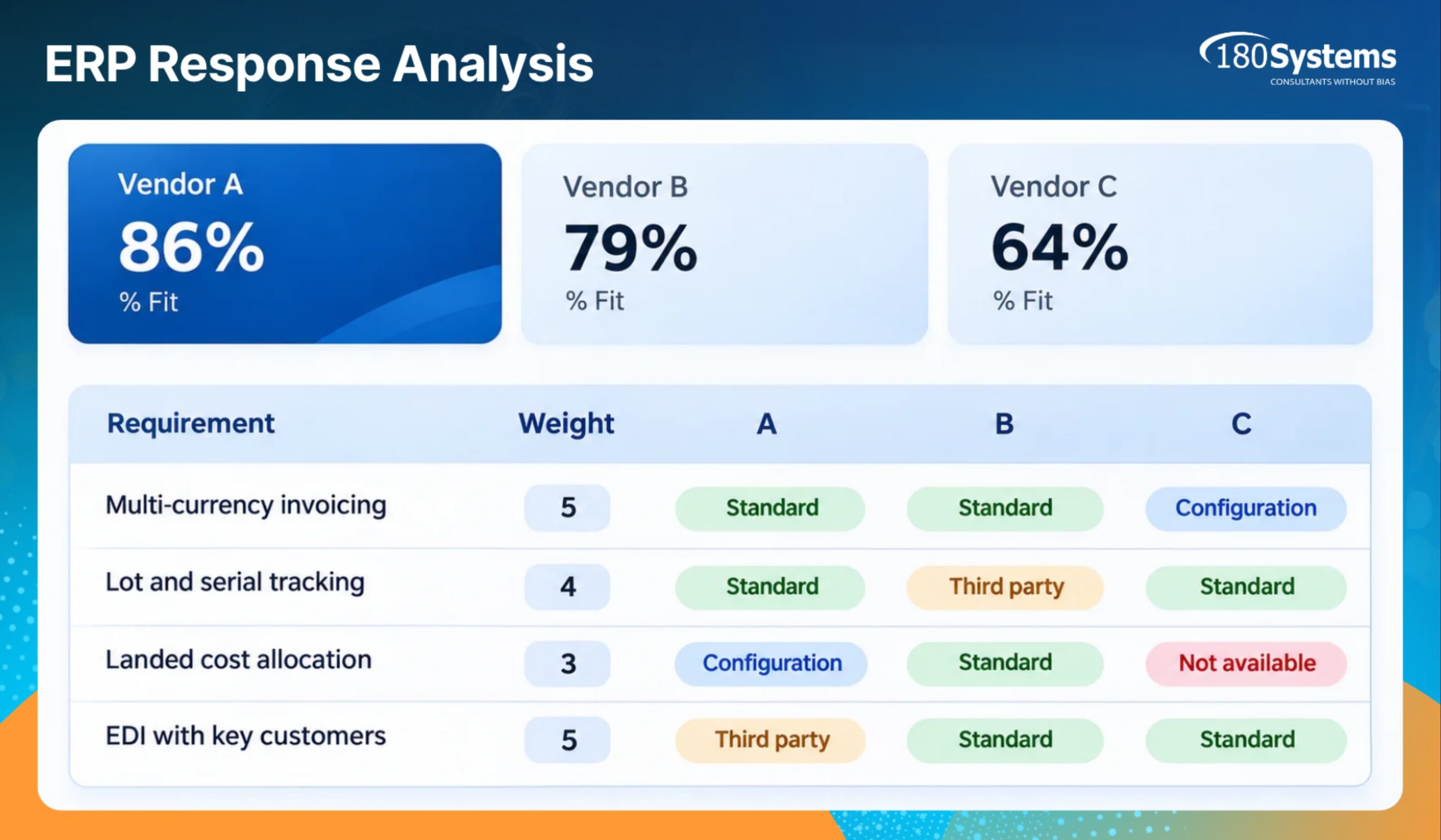
Vendors respond online, not in spreadsheets. You weight each requirement 1 to 5, and “% Fit” is calculated the same way online and in Excel.
4. Scripted vendor demonstrations
Demo scripts are built from the RFP. Demo transcripts are scored against the script.
5. Contract review
We give recommendations to improve the vendor’s contract.
The connection
Your selection work carries
into the implementation
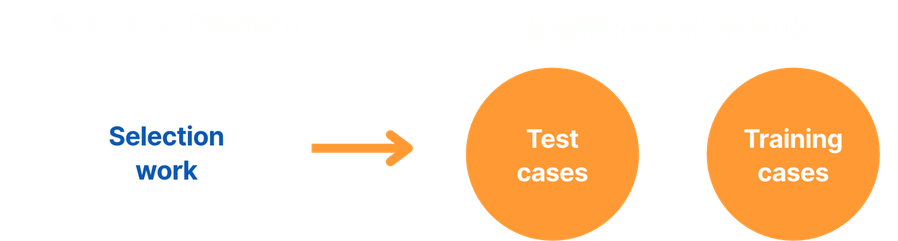
Your selection work is used to auto-populate the test and training cases for the implementation.
Phase 2: Implementation Project Management
Implement it as agreed, from planning to sustainment
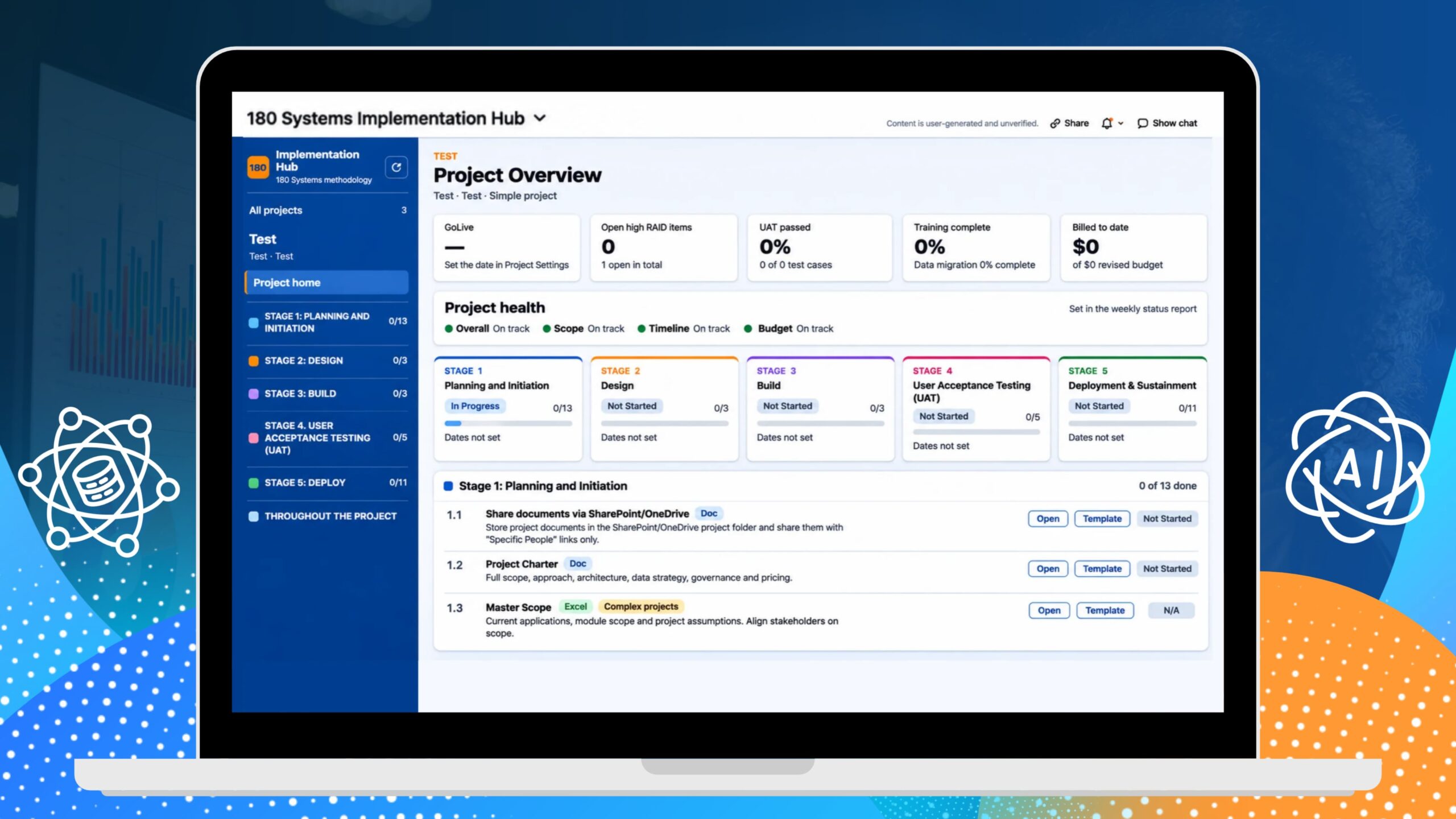
We help you manage the budget, timing and scope agreed between you and the vendor. Every implementation we manage runs in one shared hub that your team and ours update together.
1. Planning and initiation
Roles, risks, budget and communications are set up before the work starts.
2. Design
Your processes are mapped, and project health is reported every week.
3. Build
Training, data migration, reports and SOPs are tracked to completion.
4. User acceptance testing (UAT)
Every test is tracked until your team signs off, before GoLive.
5. Deployment and sustainment
A cutover plan and a GoLive checklist, then the transition to sustainment.
Benefits for your selection and
your implementation
Less time in the selection
We estimate the selection work takes about 25% less time, because the manual processes are gone.
Consistent, defensible scoring
Every vendor is scored the same way, against your weights, with a full audit trail of their answers.
A proven starting point
Your RFP starts from a library of about 6,000 proven requirements, not a blank page.

One view of the implementation
A live dashboard and a weekly health check on scope, timeline and budget.
A working tool for every step
56 templates open as live trackers, documents and emails that your team and ours update together.
Nothing discussed is missed
Meeting transcripts become draft business process reviews and demo evaluations, ready for review.
Independent from Selection to GoLive
We do not sell or implement software. Our services are advisory. In a selection, we help you get the information you need to make your own decision. In an implementation, we help you manage the budget, timing and scope agreed between you and the vendor.
Questions about ERP Selection and Implementation
What carries over from the selection to the implementation?
Your selection work is used to auto-populate the test and training cases for the implementation, so that work is not lost between the two stages.
Do we have to do the selection with you?
No. We also manage implementations that did not start with a selection with us. When they did, the selection work carries over.
Do you implement the software?
No. The implementer configures the system and supplies the project plan. We manage the project on your side.
Do vendors fill in spreadsheets?
No. Vendors answer online, several people at once, with autosave. Answers to identical requirements carry over from earlier RFPs.
Who updates the Implementation Hub?
Your team and ours. Templates open as live trackers, documents and emails that both teams update together.